
The Best Tools for Streaming Your Gameplay
Discover the best tools for streaming your gameplay, including software, hardware, and tips to level up your streaming setup.
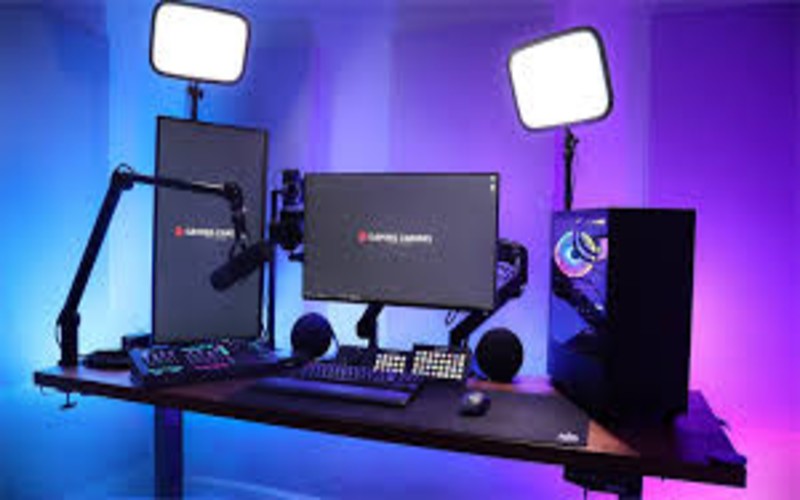
Are you looking to captivate an audience with your gaming skills? Streaming gameplay has become a thrilling way to connect with others, showcase talent, and even earn money. However, without the right tools, your streaming experience might fall short. To help you out, we’ve compiled a list of the best tools for streaming your gameplay, covering software, hardware, and accessories that will elevate your content to professional standards.
1. OBS Studio – The Go-To Free Streaming Software
OBS Studio is a favorite among streamers for a reason.- Why It’s Great: Free, open-source, and highly customizable.
- Features: Multiple scene creation, live video mixing, and support for plugins.
- Perfect For: Beginners and advanced users alike.
2. Streamlabs Desktop – Feature-Rich for Beginners
Streamlabs Desktop offers a polished, user-friendly interface.- Why It’s Great: Integrated tools for alerts, overlays, and chat.
- Features: Easy monetization options and cloud backup.
- Perfect For: Gamers who want an all-in-one streaming solution.
3. Elgato Game Capture HD60 X – Premium Capture Card
When it comes to streaming from consoles, a capture card is indispensable.- Why It’s Great: High-quality 1080p60 HDR10 video capture.
- Features: Ultra-low latency and passthrough for 4K gaming.
- Perfect For: Console gamers and those aiming for superior video quality.
4. Blue Yeti Microphone – Crystal-Clear Audio
Your audience deserves to hear you clearly.- Why It’s Great: High-quality sound without breaking the bank.
- Features: Multiple pickup patterns and easy-to-use controls.
- Perfect For: Streamers who value professional-grade audio.
5. Logitech StreamCam – A Streamer’s Favorite Webcam
First impressions matter, and video quality is crucial.- Why It’s Great: Crisp 1080p resolution at 60fps.
- Features: AI-powered facial tracking and auto-framing.
- Perfect For: Gamers who want to show their reactions in high definition.
6. Stream Deck by Elgato – Master Your Controls
Managing your stream while gaming can be tricky.- Why It’s Great: Customizable keys for seamless control.
- Features: Instant scene switching, sound effects, and more.
- Perfect For: Gamers who multitask during live streams.
7. Lighting Setup – Illuminate Your Space
Good lighting enhances your video quality significantly.- Best Option: Elgato Key Light or affordable ring lights.
- Features: Adjustable brightness and color temperature.
- Perfect For: Streamers aiming for a professional aesthetic.
8. High-Speed Internet Connection – The Backbone of Streaming
Without a stable internet connection, even the best tools won’t help.- Recommended Speed: At least 10 Mbps upload.
- Features: Consistent bandwidth and low latency.
- Perfect For: Ensuring smooth, uninterrupted streams.
9. Streaming Overlays and Alerts – Add Personality to Your Stream
Visuals make your stream stand out.- Best Tools: Streamlabs, Nerd or Die, or Visuals by Impulse.
- Features: Animated overlays, widgets, and alerts.
- Perfect For: Customizing your stream to reflect your brand.
10. Discord and Social Media – Build Your Community
Engaging with your audience outside your stream is vital.- Why It’s Great: Stay connected with fans and grow your presence.
- Features: Voice channels, text chats, and social sharing.
- Perfect For: Gamers who want to foster a loyal community.


Comments
Leave a comment Replying to
Comments are reviewed before they appear. Your email is never published.